Bunnyshell: A Full Stack Per Pull Request
You have one shared staging environment.
Two pull requests want it. One of them already broke the schema.
QA is waiting. The ticket says “works on my machine.” That means nobody reviewed the whole stack together.
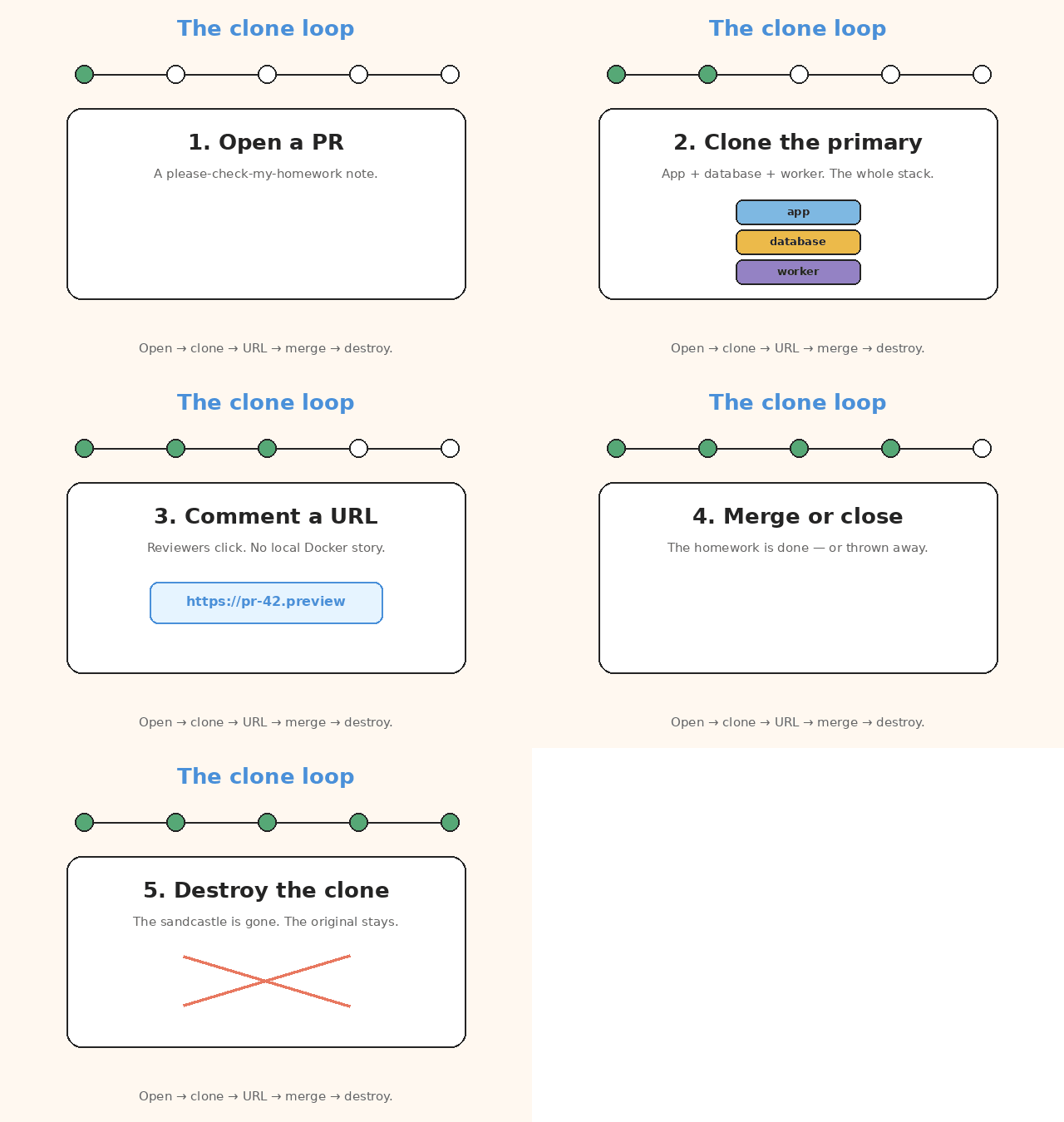
A preview environment (Bunnyshell calls it an ephemeral environment) is the fix.
Ephemeral means it only lives for a short time. You create it, review it, then tear it down.
Bunnyshell clones the full stack for that pull request.
A pull request (PR) is the change you want reviewed.
The full stack is not only the frontend. It is the app, the database, and the other services it talks to.
Reviewers get a URL. When the PR merges or closes, the clone is destroyed.
This is not a frontend screenshot tool. If your checkout page needs Postgres, Redis, and a worker, the preview needs those too.
flowchart LR
  A[Open a PR] --> B[Clone the primary]
  B --> C[Deploy the PR branch]
  C --> D[Comment a preview URL]
  D --> E{Merge or close}
  E --> F[Destroy the clone]
That is the whole loop. The rest of this post is one shared environment vs many, a file named bunnyshell.yaml, two triggers, auto-sleep, and when a clone is more trouble than shared staging.
The problem is not “we need more servers”
The problem is contention. Everyone grabs the same environment at once.
One shared staging cluster means every branch fights for:
- the same schema
- the same seed data
- the same ingress (the public entry point)
You get:
- Blocked QA. Reviewers wait for “the” environment.
- False failures. PR B’s migration (a schema change) makes PR A look broken.
- False confidence. A green local run that never saw the worker, the cron, or the real Compose graph.
Ephemeral environments trade that queue for isolation. Each PR gets its own copy.
Each PR gets:
- its own namespace
- its own volumes
- its own URL
You can break it on purpose — drop the database, flip a feature flag, hit a bad migration — then discard the environment. The primary stays intact.
The primary is the template. The original copy.
Bunnyshell’s docs put it plainly: ephemerals are meant to be identical replicas of the primary, except in size. Same shape. Smaller. Predictable context is the product.
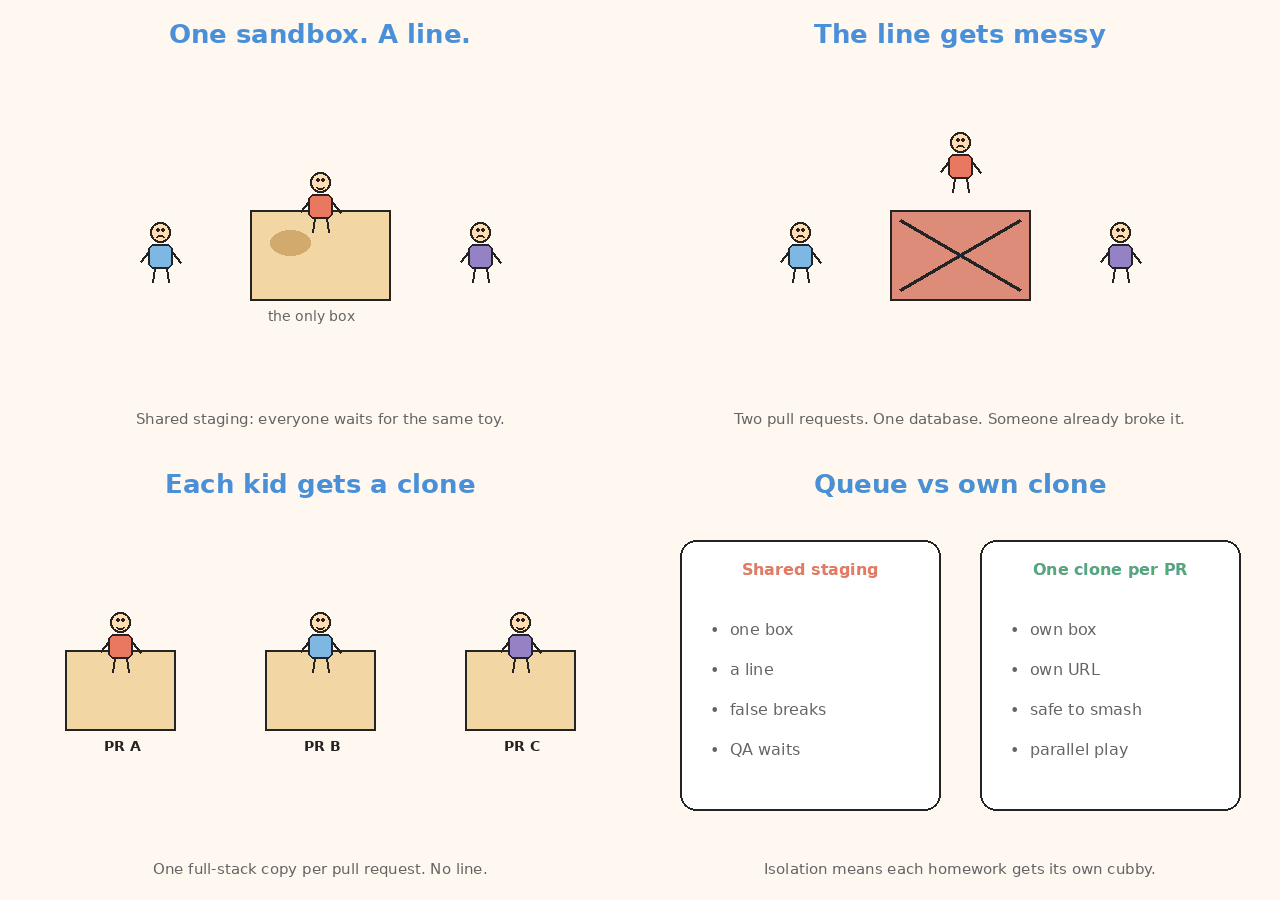
Shared staging is a line. A clone per PR is your own environment.
How Bunnyshell fits
Bunnyshell is Environments-as-a-Service. You describe the environment. Bunnyshell creates it, sleeps it, and destroys it. You do not babysit every cluster yourself.
You connect:
- a Kubernetes cluster
- a Git account
Kubernetes is the cluster that runs the workloads.
The environment definition lives in bunnyshell.yaml.
A primary environment is the template. An ephemeral is a clone of that primary with the PR’s branch swapped onto the matching components.
Two things have to be true before a clone appears:
- The primary has already deployed successfully (
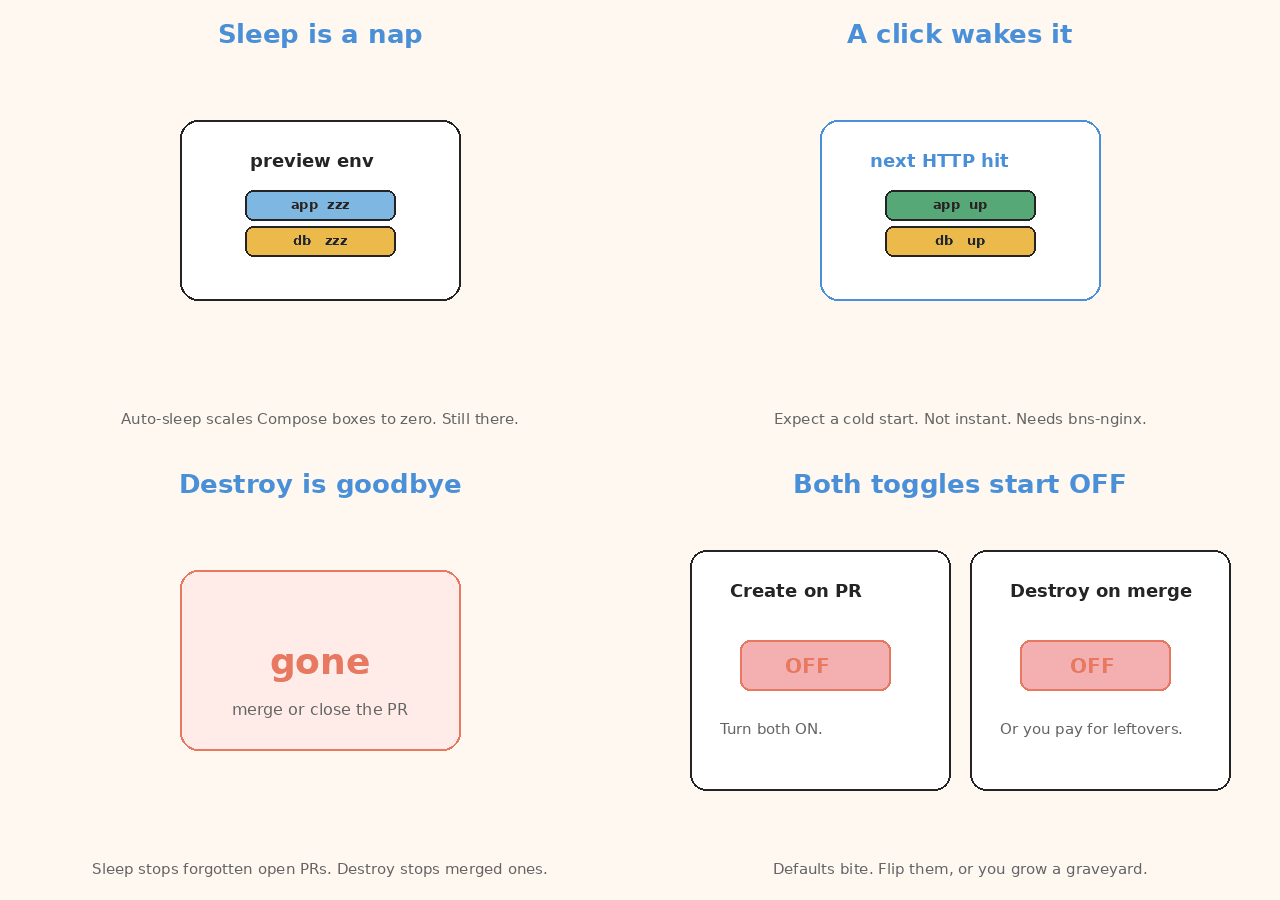
RunningorStopped). - On that primary, Create ephemeral environments on pull request is ON. It is OFF by default.
Destroy is a separate toggle: Destroy environment after merge or close pull request. Also OFF by default.
Turn both on, or you will grow a graveyard of paid environments.
You can point ephemerals at a different cluster than the primary. That is the usual way to keep preview noise off the production control plane.
If a preview turns out to be the new baseline, Bunnyshell can convert an ephemeral to a primary. Treat that as a promotion, not a habit.
| Term | Meaning |
|---|---|
| primary environment | The template you clone from |
| ephemeral / preview | A short-lived copy for one PR |
| pull request | The change under review |
| full stack | App, database, and the other services it talks to |
| namespace | Isolated Kubernetes space for that clone |
| ingress | How traffic reaches the preview URL |
| Kubernetes | The cluster that runs the environments |
The definition file
bunnyshell.yaml is the environment. It is not a CI pipeline.
CI builds and tests the code. Bunnyshell manages the environment’s life: create, sleep, wake, destroy.
Components can come from:
- Docker Compose
- Helm charts
- raw Kubernetes manifests
- Terraform modules
- generic scripts / runner images
Compose is the fastest on-ramp.
Import is one-way: Bunnyshell parses docker-compose.yaml once, writes components into bunnyshell.yaml, and then only bunnyshell.yaml is the source of truth. Later edits to Compose do not flow back. Plan for that, or you will “fix compose” and watch the preview ignore you.
A sketch, not a sales dump:
kind: Environment
name: books-primary
type: primary
components:
  - kind: Application
    name: api
    gitRepo: 'https://github.com/acme/books.git'
    gitBranch: main
    dockerCompose:
      build:
        context: ./api
        dockerfile: Dockerfile
    dependsOn:
      - postgres
  - kind: Database
    name: postgres
    dockerCompose:
      image: postgres:16
    volumes:
      - name: db-data
        mount: /var/lib/postgresql/data
dependsOn is the deploy graph. Independent components start in parallel. Helm / manifests / Terraform run through a runner image; you own the deploy and destroy commands. DNS is created from Ingress endpoints after deploy.
As of the current docs, bunnyshell.yaml is stored solely in Bunnyshell. Keep your own copy in Git if the team reviews environment changes like code.
Webhook path vs Actions path
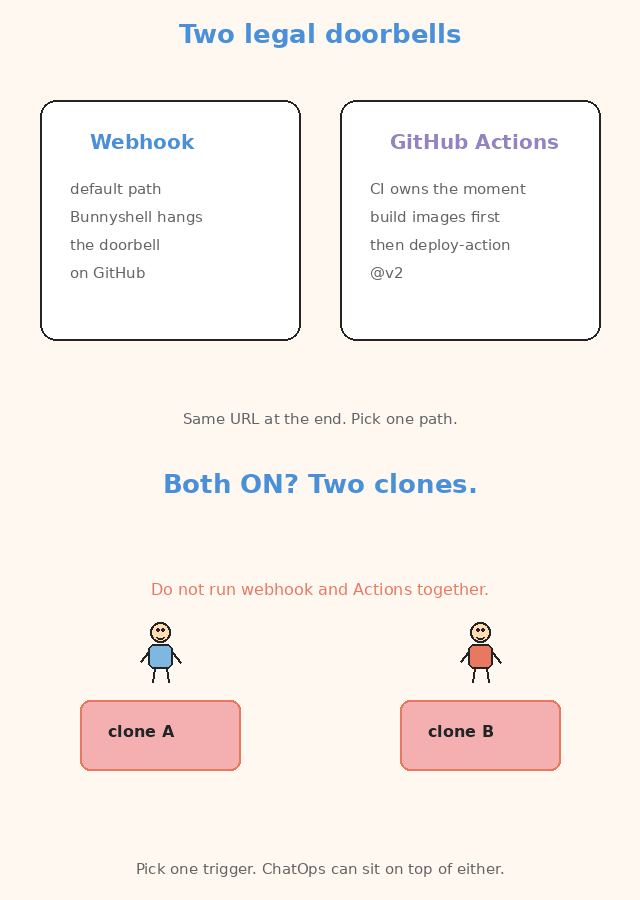
Two legal ways to get the same URL. Do not run both.
Webhook (default). You connect GitHub (or another supported VCS). Bunnyshell registers a webhook. On a new PR, if the primary contains components from that repo and the PR target matches the deployed branch, it clones, deploys the PR branch, and comments the preview URL. Close or merge destroys it. Re-open recreates it.
GitHub Actions. Use this when CI should own the moment: build images first, run migrations yourself, then call Bunnyshell. The official wrapper is bunnyshell/deploy-action@v2 (token, org, environment id, wait, timeout). Under the hood it is bns environments deploy. If webhook mode is still ON, you will get duplicate environments. Pick one trigger.
ChatOps sits on top of either path: /bns:deploy, /bns:stop, /bns:start from the PR. Useful when a reviewer wants a wake-up without opening the Bunnyshell UI.
| Path | When to pick it | Watch-out |
|---|---|---|
| Git webhook (default) | Bunnyshell may own the moment | Still ON while Actions runs → two clones |
bunnyshell/deploy-action@v2 |
CI should build images and migrate first | Under the hood: bns environments deploy |
ChatOps (/bns:deploy, /bns:stop, /bns:start) |
A reviewer wants a wake-up from the PR | Sits on top of either path. Not a third trigger. |
One trigger. Not two.
Sleep is part of the design
Idle previews are a bill, not a badge.
Bunnyshell can auto-sleep an environment:
- scale Docker Compose deployments to zero after inactivity
- or on a project / environment schedule (stop at 20:00, start at 08:00)
The next HTTP hit wakes it. Expect a cold start, not instant. The workloads were scaled down. You wait while they come back.
Auto-sleep is an environment setting, not a field you sprinkle into every component. If wake-up does nothing, the ingress path has to support the wake mechanism — Bunnyshell’s own guides call out the bns-nginx class for that case.
Destroy on merge is still the real cost control.
- Sleep stops the waste of a forgotten open PR.
- Destroy stops the waste of a merged one.
When it shines
- Full-stack PRs. UI + API + worker + database, reviewed on one URL.
- Destructive tests. Break the schema, retry, delete the env.
- Parallel review. Five PRs, five clones, no “who has staging?”
- QA that is not a developer. A link is enough. No local Docker story.
When it is the wrong tool
- Cost. A clone of “almost prod” per PR is not free. Sleep and destroy are not optional extras.
- Stateful data. An empty Postgres is not a review. You need a seed job, a sanitized dump, or a slim fixture. That is your work, not Bunnyshell’s.
- Secrets. Preview clusters still need credentials. Do not copy production keys into a PR-scoped namespace. Use a dedicated secret group and rotate it.
- Long-lived “ephemerals.” If a branch lives for six weeks, you have a second staging. Convert it or stop pretending it is temporary.
- Tiny frontends with no backend. A static preview host is cheaper.
- No working primary. Ephemerals clone a successful primary. If you cannot deploy main, you cannot preview a branch.
First-setup checklist
Conceptual. Confirm the current toggles in Bunnyshell’s ephemeral docs before you click.
- Connect a Kubernetes cluster you are willing to pay for, plus Git.
- Deploy a primary from
bunnyshell.yamluntil it isRunning. - Decide Compose vs Helm vs manifests vs Terraform. If you import Compose, accept the one-way conversion.
- Turn ON: create ephemeral on PR. Turn ON: destroy on merge or close.
- Pick one trigger: Git webhook or
bunnyshell/deploy-action@v2. Not both. - Set auto-sleep (inactivity and/or a nightly schedule).
- Seed data on deploy. An empty database is a 404 with extra steps.
- Point secrets at a preview vault, not production.
- Open a tiny PR. Confirm the comment URL, a reviewer can click it, and close destroys the namespace.
What this post is not
It is not a migration off GitHub Actions. Actions still builds, tests, and lints. Bunnyshell manages environment lifecycle — create, sleep, wake, destroy. Complementary, not a replacement.
Official references (read these; do not copy them):
- Ephemeral environments
- Create and destroy an ephemeral
bunnyshell.yamldefinition- How Bunnyshell works
- Git provider webhooks
Terms used in this post
You do not need this table to follow the loop. It is only a quick lookup.
| Term | Meaning |
|---|---|
| ephemeral / preview environment | Short-lived copy of the full stack |
| primary | Template environment you clone from |
| contention | Everyone grabbing the same shared environment |
| isolation / namespace | Each PR gets its own Kubernetes space |
| ingress | Public entry point / preview URL path |
| Kubernetes | Cluster that runs the environments |
| Docker Compose | List of services that start together |
| Helm | Packaging format for Kubernetes |
| Terraform | Infrastructure as code modules |
| webhook | Git provider trigger into Bunnyshell |
| CI / GitHub Actions | Builds and tests the code |
| auto-sleep | Scale idle previews to zero |
| cold start | Wake delay after sleep |
| seed data | Fixture data the preview needs to be reviewable |
| secrets | Credentials for the preview, not production keys |
| feature flag | Toggle for a feature |
| migration | Schema change |
In short
Clone the primary per PR. Comment the URL. Destroy on merge. Seed the data and sleep the idle ones, or you just invented a more expensive staging.
If this helped:

Discussion
Reactions and replies via GitHub Discussions. Sign in with GitHub to comment.